Set Distance and Speed of X-axis and Y-axis Movement
Function:
go.set_move_dist(x,y,Vx,Vy)
Description: set the distance and speed of x-axis and y-axis movement. The x-axis and y-axis direction are displayed as follows.
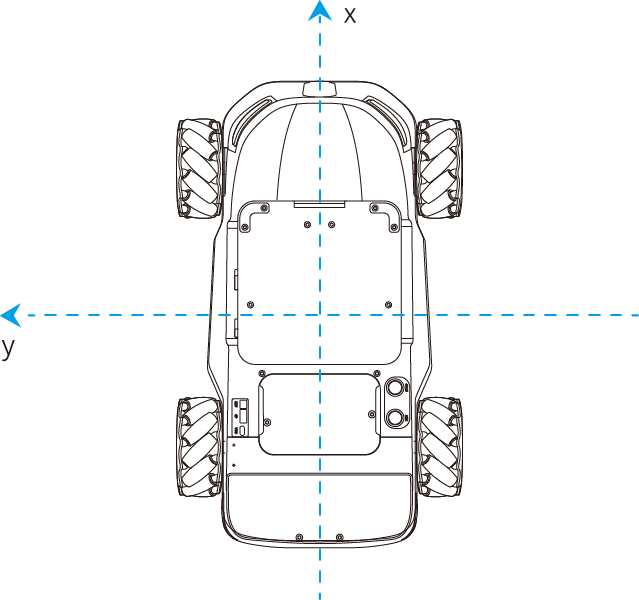
Required parameter:
- x: distance in x-axis direction; data type: float; unit: cm Positive value of x means moving in the positive direction of x-axis; Negative value of x means moving in the negative direction of x-axis.
- y: distance in y-axis direction; data type: float; unit: cm Positive value of y means moving in the positive direction of y-axis; Negative value of y means moving in the negative direction of y-axis.
- Vx: speed in x-axis direction; data type: float; range: 0 cm/s ~ 100 cm/s
- Vy: speed in y-axis direction; data type: float; range: 0 cm/s ~ 100 cm/s
- Return:
- True: The command has been finished.
- False: The command has not been finished.
Example
go.set_move_dist(x=50,y=50,Vx=10,Vy=20)Magician Go moves 50 cm in the x-axis direction and 50 cm in the y-axis direction from the current position at the composite velocity (determined by Vx=10 cm/s and Vy=20 cm/s).